Check the guidelines below to integrate your Shopify Store into your OTO account:
If you like watching videos more, check the below video and follow the included steps to easily integrate your store on the Shopify platform into your OTO account.
Let's take it step by step.
To integrate OTO with Shopify, you need first to add OTO on the Shopify platform as a private app. We'll show you in the following steps how to do so.
Install OTO App on Shopify:
1. Open the admin page on the Shopify platform https://apps.shopify.com/oto
2. Search for OTO in the search bar.
3. Click on "Install" as the below screenshot: 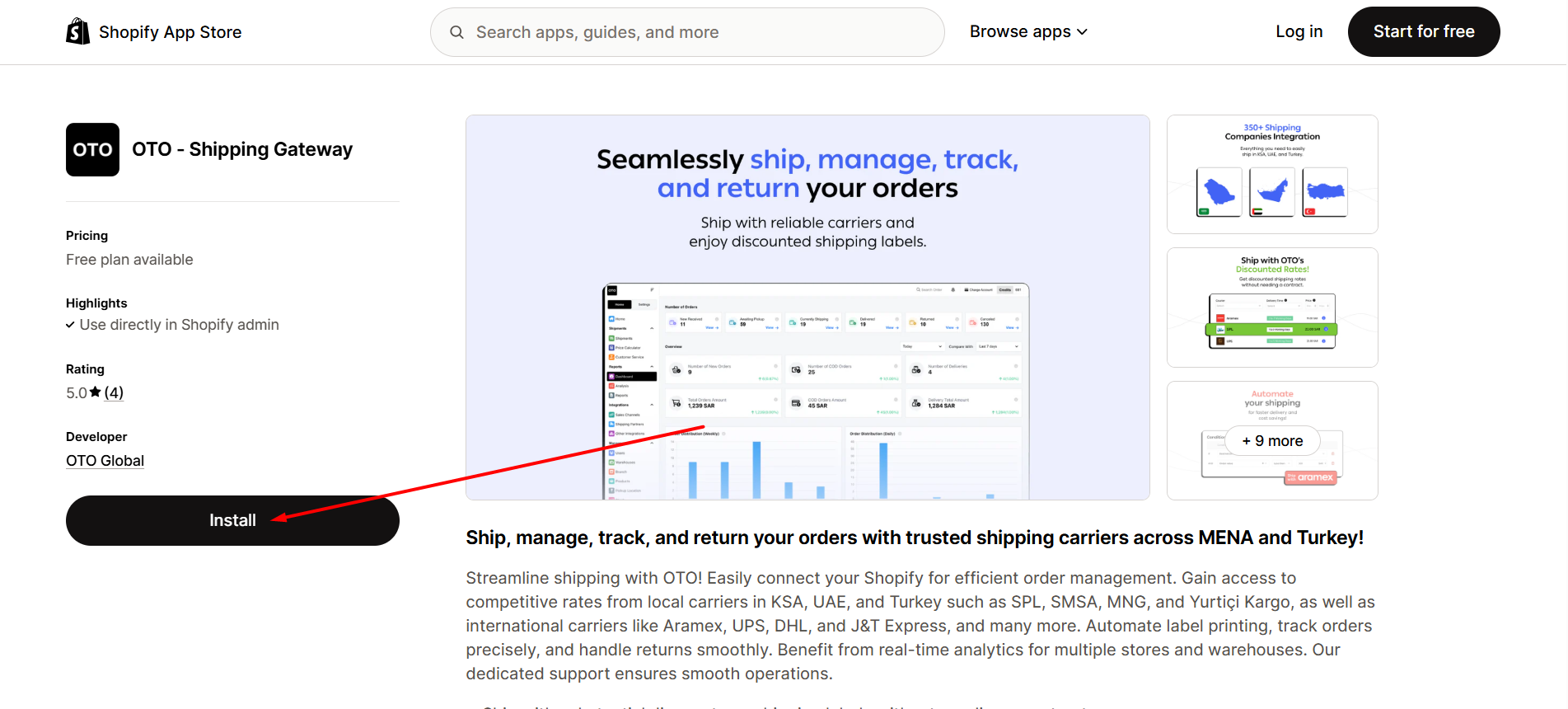
4. Now, the app will show you the access that will be granted and then click on "Install"
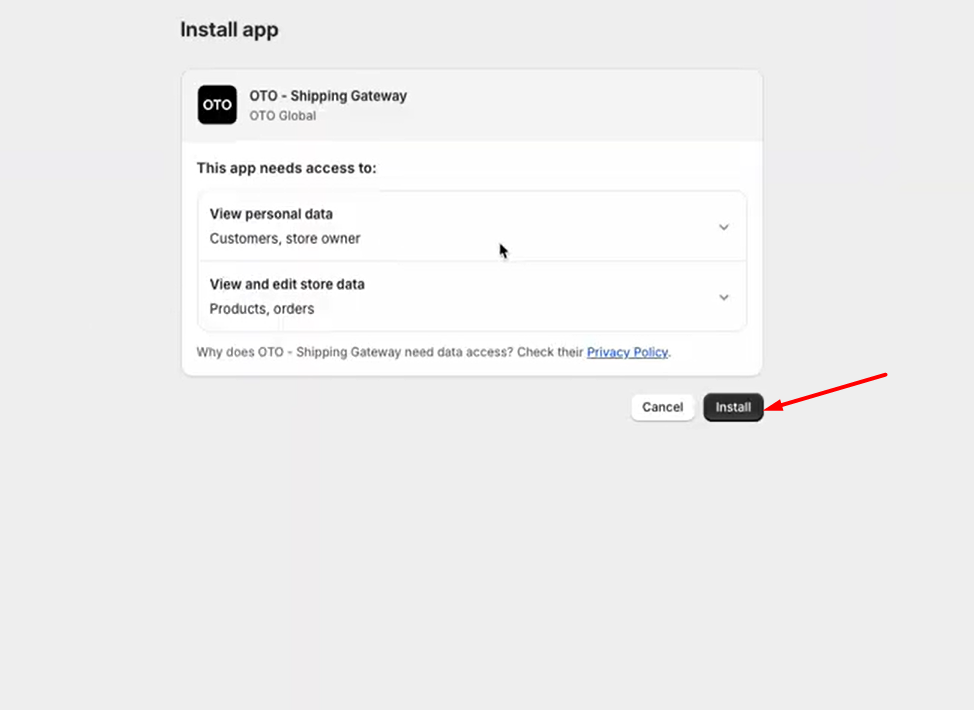
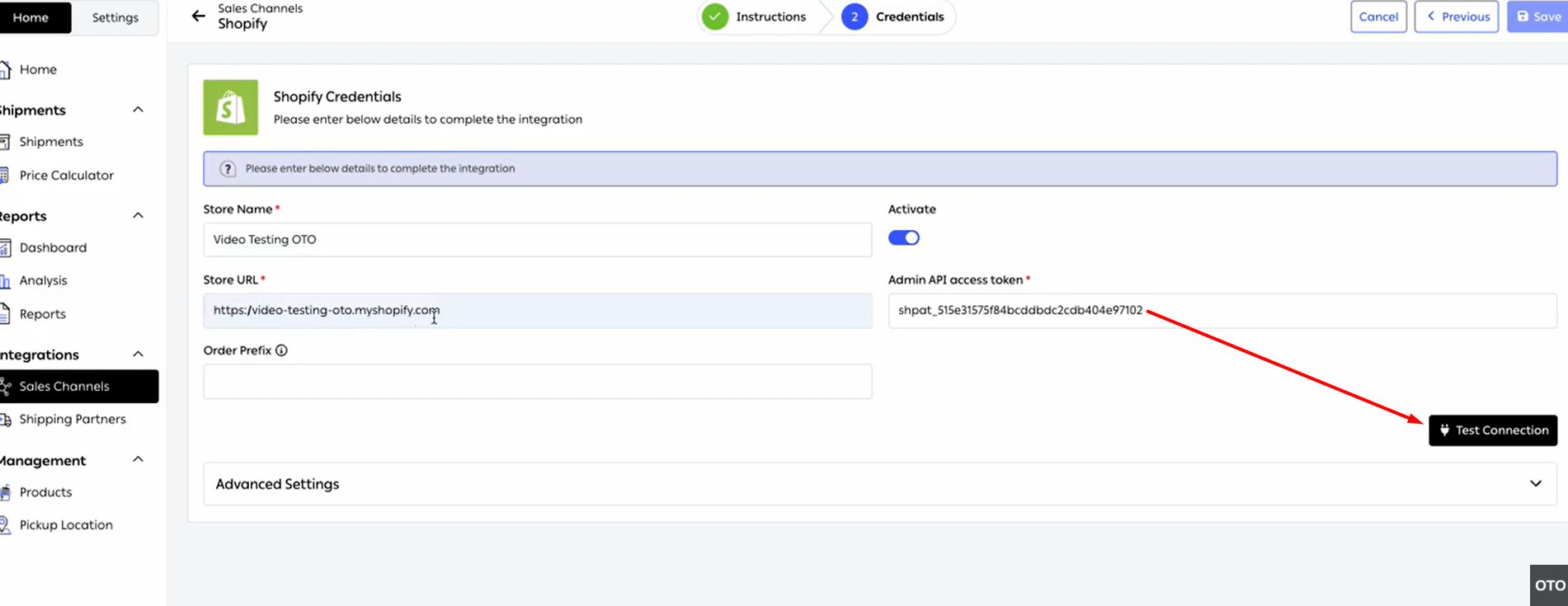
5. Then, you will be taken to OTO and it will show you that Shopify has been installed, you can just test the connection and orders will be synced automatically.
Congratulations!
By following the steps the above-mentioned steps, your store has been successfully integrated with your OTO account. You can test the connection by pressing the Test Connection black button on the Credentials page.
If you need any further assistance, please contact us through chat or send an email to support@tryoto.com
Was this article helpful?
That’s Great!
Thank you for your feedback
Sorry! We couldn't be helpful
Thank you for your feedback
Feedback sent
We appreciate your effort and will try to fix the article
