For e-commerce stores operating in Saudi Arabia, collecting National Address details (Building Number, Additional Number, and District) is crucial for logistics efficiency and reducing delivery failures in WooCommerce.
Key Steps:
Steps to Add National Address in WooCommerce (WordPress)
Note: If you have connected OTO before please delete the connection from you OTO account Only
1- Login to WordPress Dashboard
Open the website: yourwebsite.com/wp-admin
Sign in with account credentials.
2- From your OTO account :
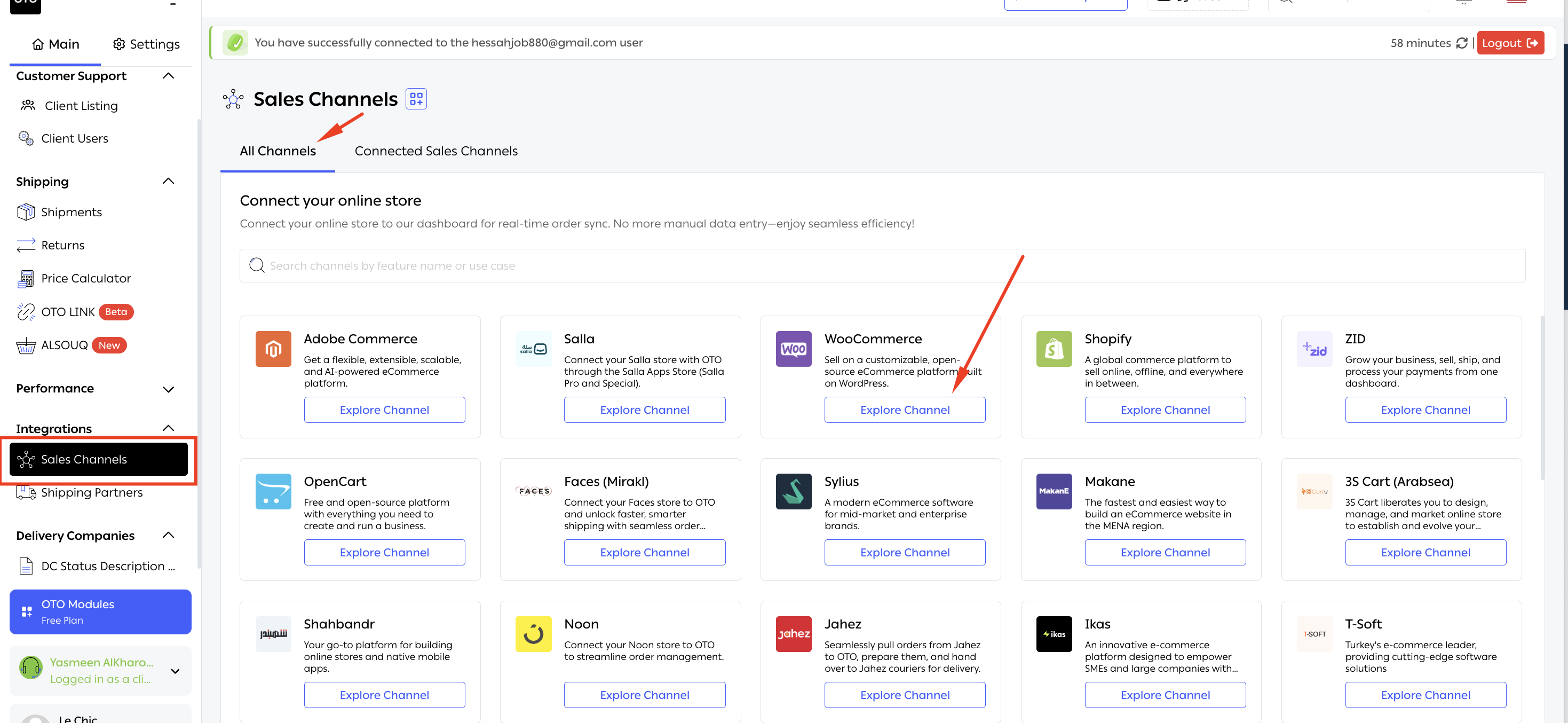
A- Go to Home- sales channels - search for Woocommerce and press on explore channel.
B- Press on (national-address-validor) and a file will be downloaded 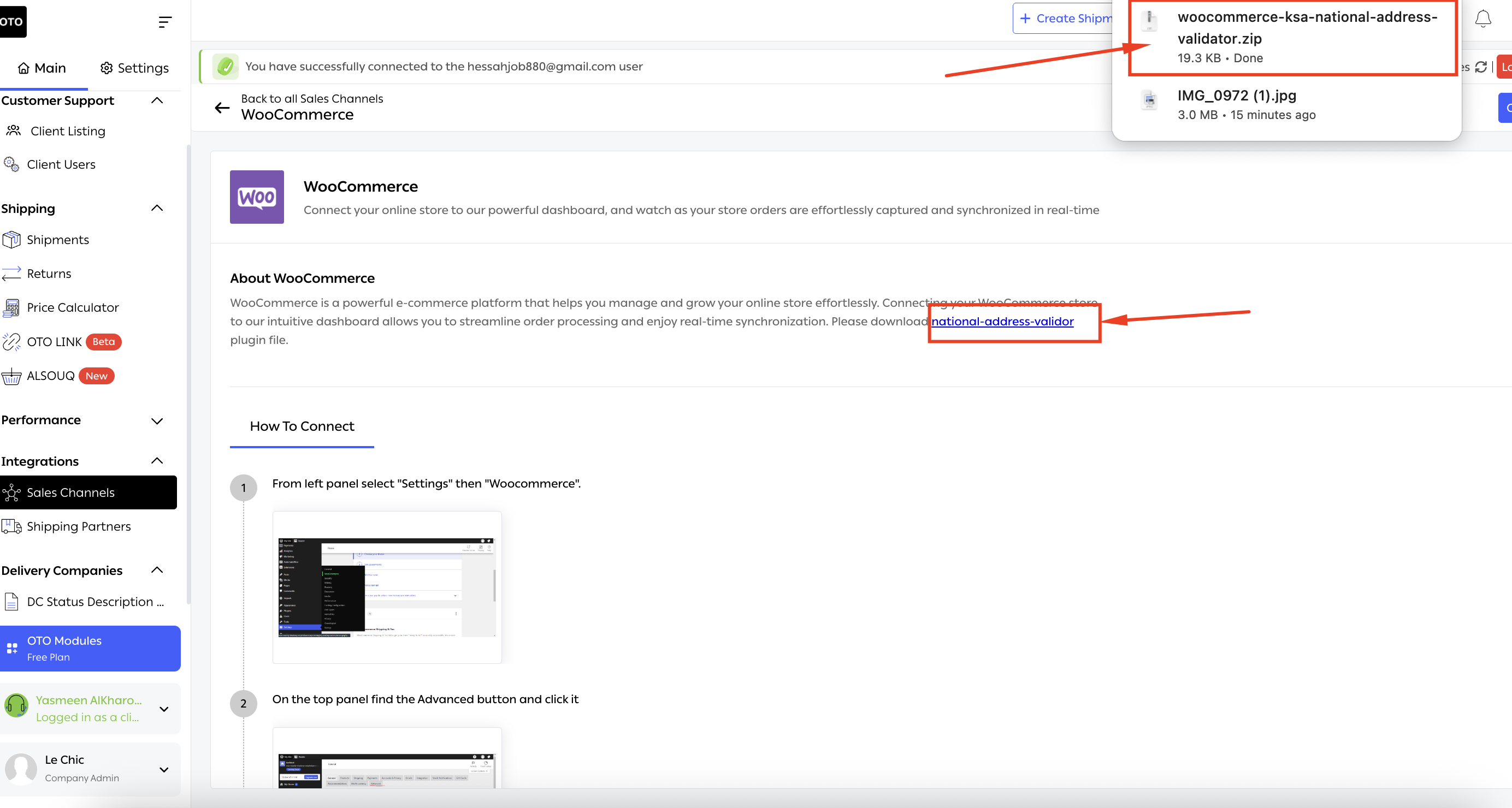
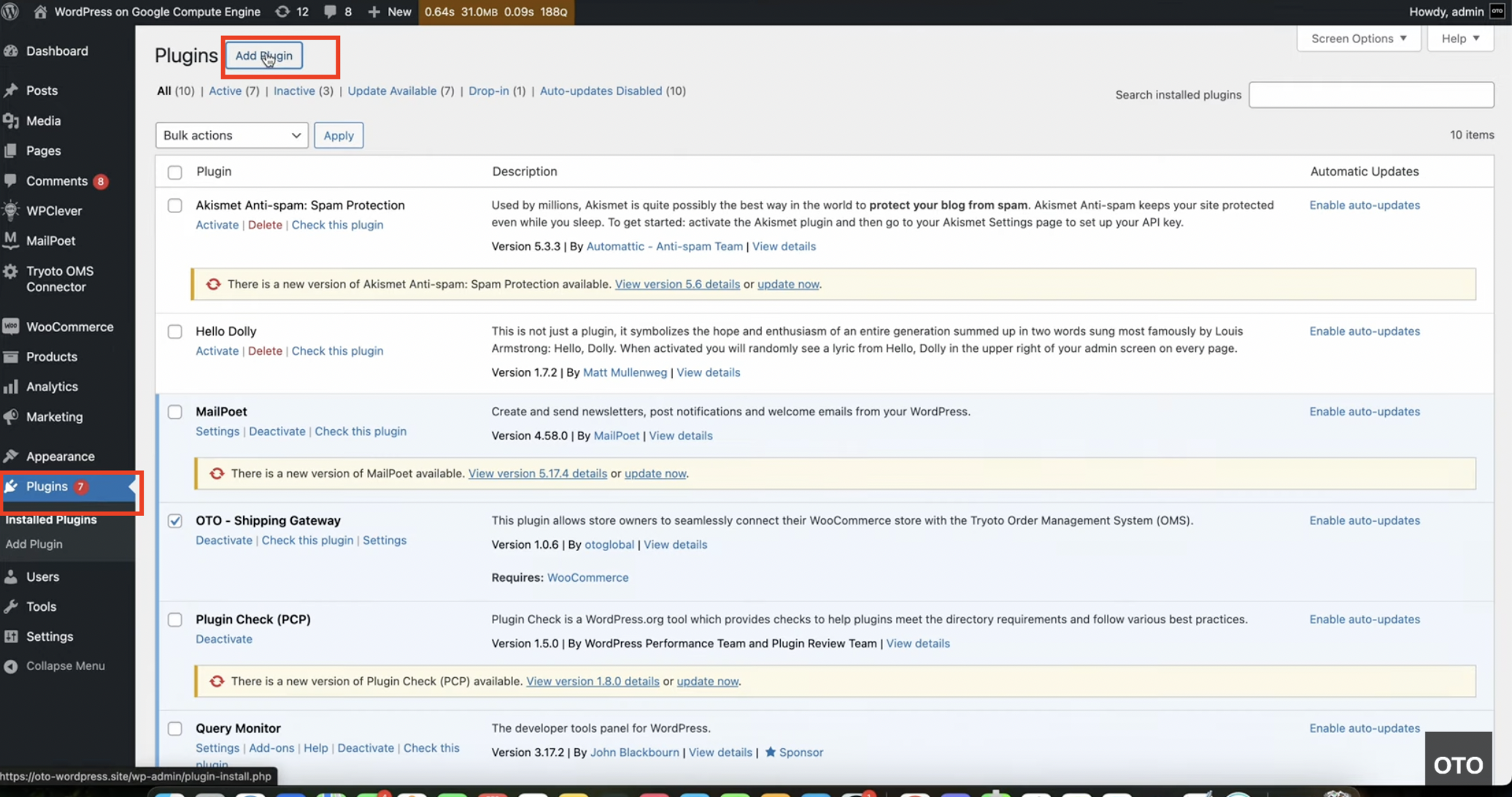
3- Go to plugins - press on add blugin
4- Press on Add plugin and upload the file the press on install now 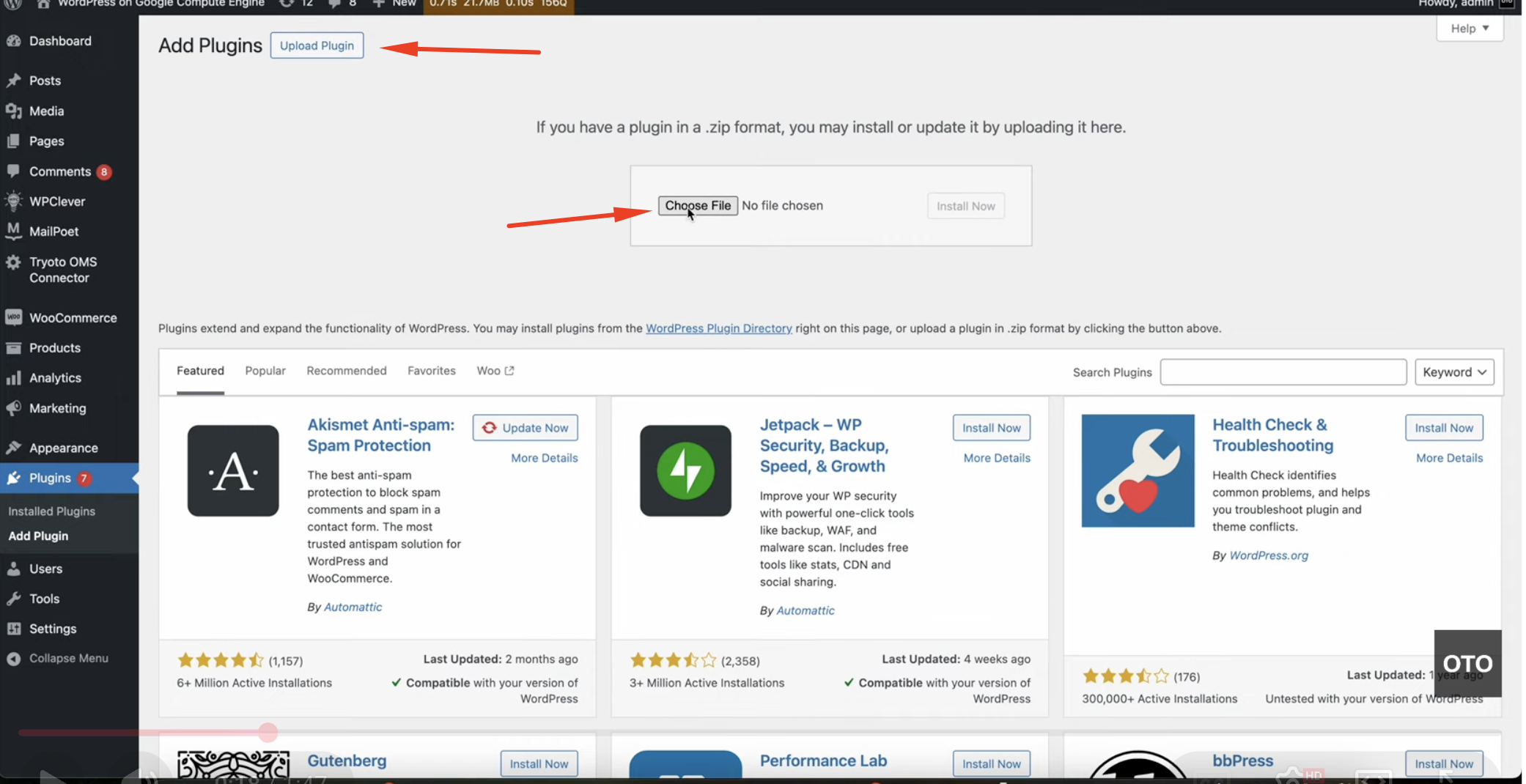
5- press on activate plugin
For a step-by-step visual tutorial, watch the video here:
https://www.youtube.com/watch?v=dNLVsWWuKVc
OTO Pro-Tip: By capturing National Address data, OTO automates the shipping process, sending precise location coordinates directly to the carrier's system for a seamless "last-mile" delivery.
FAQ:
1- Is adding the national Saudi address mandatory in KSA?
Answer:Yes, as shipments with no Saudi National Address will not delivered
2- When will the Saudi National Address requirements officially become mandatory for logistics service providers?
Answer: The Saudi government will officially require all logistics service providers to use the National Address for deliveries starting in 2026.
3- How can I ensure my shipping orders are compliant with the new 2026 Saudi National Address requirements when using the API?
Answer: To remain compliant with the latest SPL (Saudi Post) requirements, you must provide the 8-character code in the shortAddressCode field within the customer informaion when creating an order. This code typically consists of 4 letters followed by 4 digits (e.g., RAGI2929).
Was this article helpful?
That’s Great!
Thank you for your feedback
Sorry! We couldn't be helpful
Thank you for your feedback
Feedback sent
We appreciate your effort and will try to fix the article